Help center
Choosing how Lucas answers
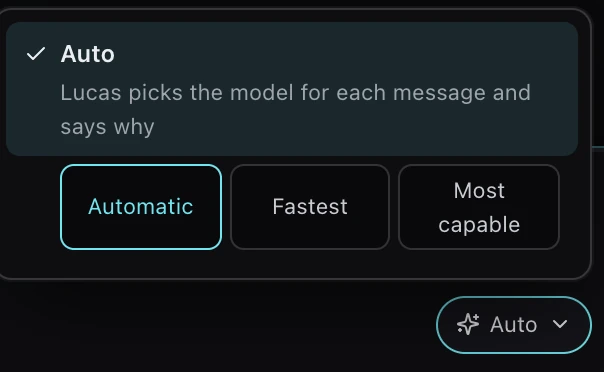
- Click the button next to send (it says Auto).
- Auto lets Lucas pick the right AI for each request.
- Choose Auto, Faster or Smarter. Automatic lets Lucas decide for each message.
- You can also pick an AI by hand: Claude, ChatGPT or Grok.
- Your choice stays with the chat. Each reply says Answered by Lucas, with the kind of answer (for example, searched the web). If you picked an AI by hand, the reply names it.
- Want another AI's view? Use Get a second opinion under any reply; the second opinion names the AI that wrote it.
- Lucas's default AI model is Claude by Anthropic; other models are used for second opinions and where noted.