AI assistant on the web · Mac app available

The AI assistant that finishes the job

Try Lucas now!

Make an account and ask him anything.

Create your account

Welcome back

Pick up where you left off.

Open Lucas

Give Lucas a goal. Get finished work back.

Ask for a website and get it published. Ask a hard question and get a report with sources. Or just chat, by typing or talking.

Anything that sends, spends or changes waits for your approval.

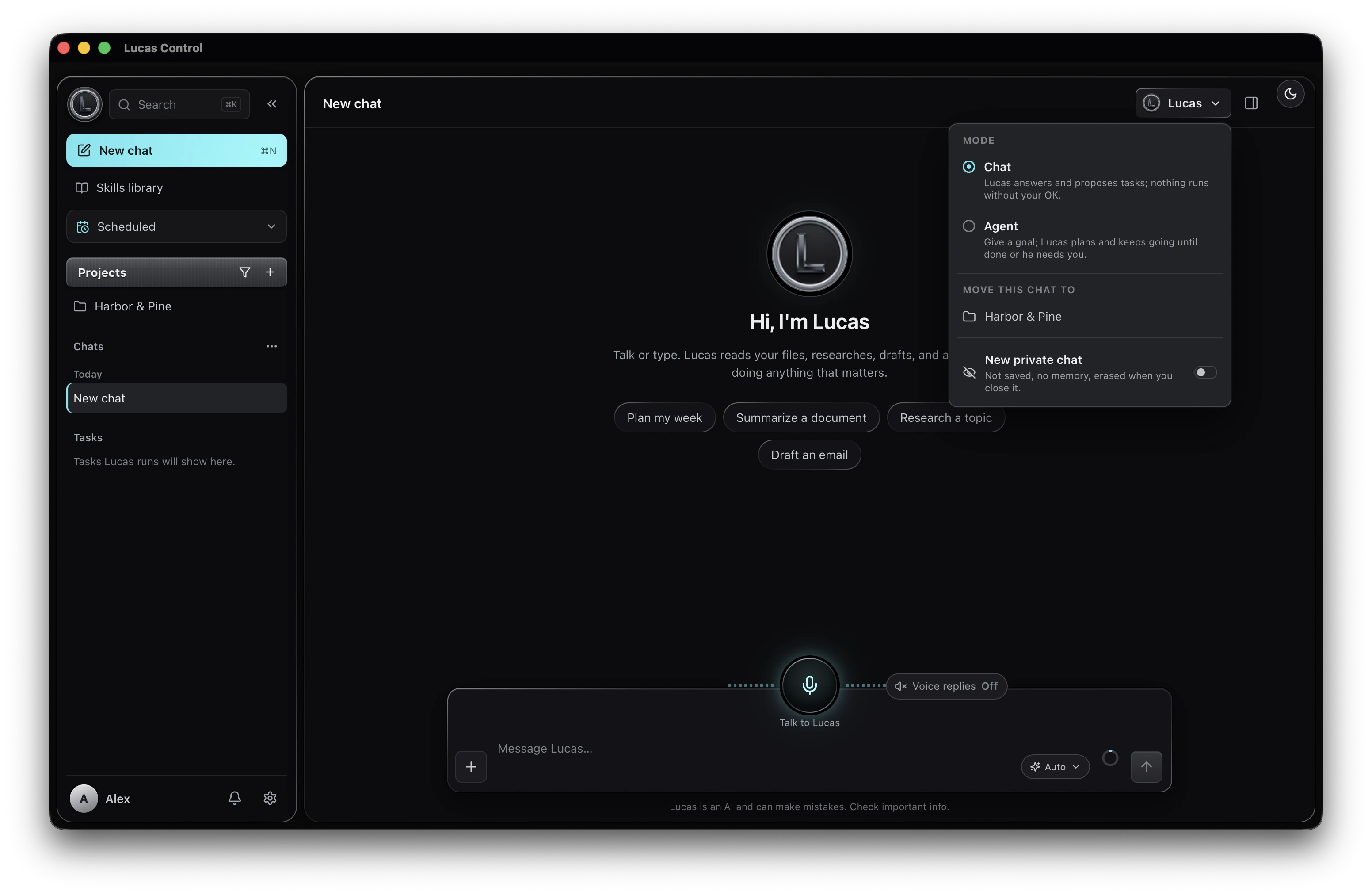
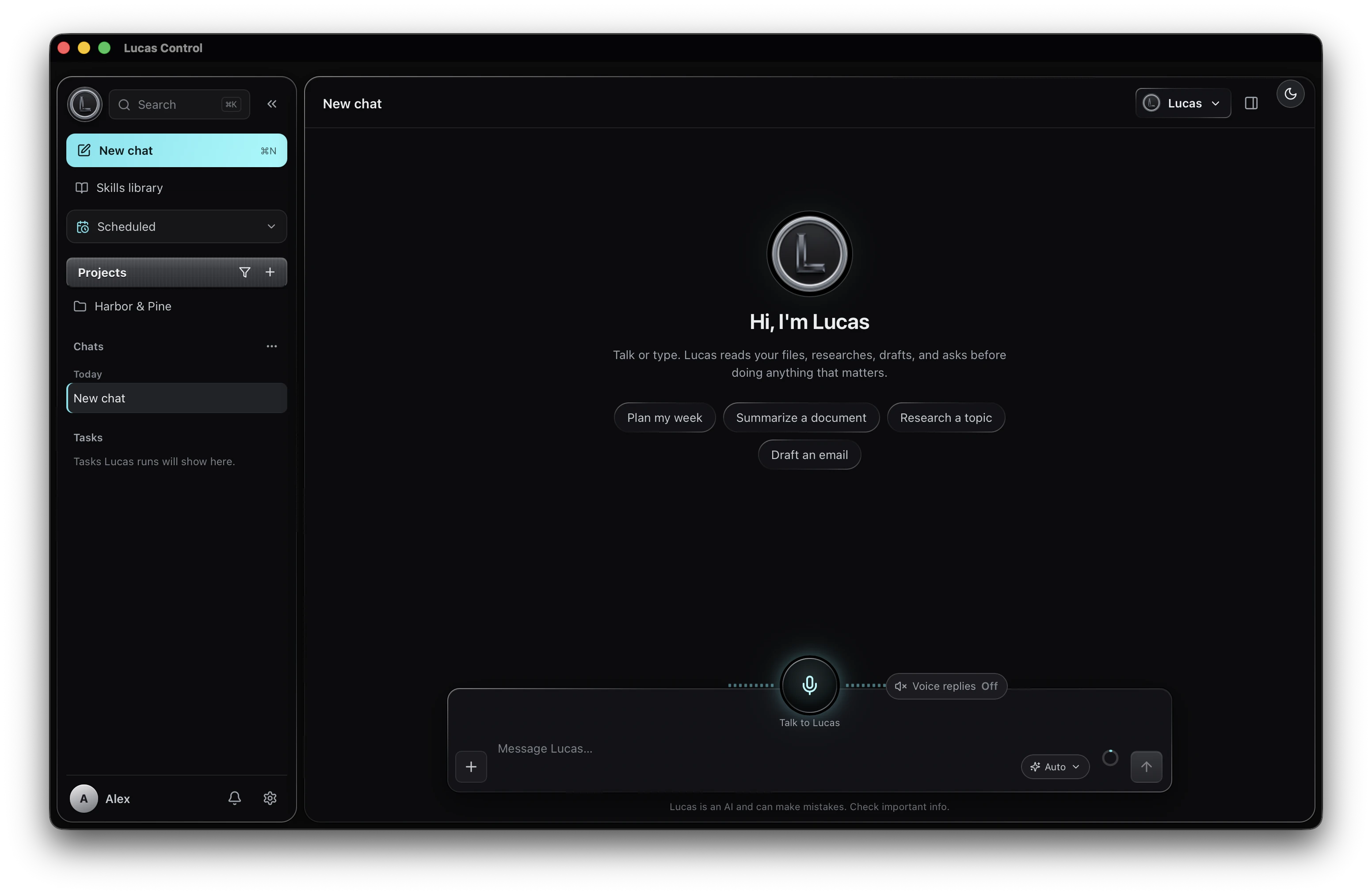
The Lucas Control window with the greeting "Hi, I'm Lucas", four suggestion buttons and a glowing cyan microphone above the message box. Night theme.

What is Lucas for?

Eight things you can get done on the web today. Each one shows what you ask, what Lucas does, and what you decide.

Give Lucas a goal, get it finished

Web app Available now
You ask
“Compare the three cheapest ways to ship 200 candles a month from Ohio and give me a one-page summary with a chart.”
Lucas does
In Agent mode, shows a short plan and what it will cost, then works through it step by step and hands you the finished files.
You decide
You approve the plan and the cost before he starts, and anything that sends, spends or changes waits for your approval.
Build and publish a website

Web app Available now
You ask
“Build a one-page website for Sweet Rise Bakery with our menu, opening hours and a map, in warm colors.”
Lucas does
Builds the site while you watch it take shape in a live preview. Press Publish and it's online at an address like sweet-rise.lucassites.com.
You decide
You ask for changes until it's right. It stays private until you press Publish, and you can unpublish it any time.

Get a research report, with sources

Web app Available now
You ask
“Research what I need to sell homemade cookies at farmers markets in Ohio: licenses, labels and costs.”
Lucas does
Shows the cost first, then searches and reads many pages, checks them against each other and writes a report with numbered sources. Quick questions get a quick answer with links.
You decide
You press Start, check the sources and choose what to act on.

Write a document and get the file

Web app Available now
You ask
“Write a one-page proposal for a weekly office lunch delivery, as a Word file.”
Lucas does
Writes it and hands you the file. Ask for a PDF or an Excel sheet instead and you get that.
You decide
You read it, ask for changes, and download it when it's right.

Understand a file

Web app Available now
You ask
“Here's my lease as a PDF. What happens if I move out early?”
Lucas does
Reads the file you drop in (a PDF, Word document or spreadsheet) and answers, or sums it up.
You decide
You ask follow-up questions until it's clear.

See your store and payments in plain English

Web app Available now
You ask
“How did my store do this week, and what sold most?”
Lucas does
With Stripe or WooCommerce connected, reads your orders and payments and sums them up. Payments are read-only.
You decide
Want a price or stock changed? Lucas shows the old and new value, and nothing changes until you approve.

Generate images

Web app Available now
You ask
“Make a bright photo of our lemon tart on a marble counter for Instagram.”
Lucas does
Shows what it will cost in credits first, then makes the picture.
You decide
You press Make it, then keep the one you like or ask for changes.

Get a second opinion

Web app Available now
You ask
“Should I raise the price of my pottery classes next month? Then press Get a second opinion.”
Lucas does
Another AI writes its own answer to the same question, right under the first one.
You decide
You read both and keep going with the answer you trust.

Connect the tools you already use. Stripe, Notion, WordPress with WooCommerce and twenty-five more work on the web today; many more are in the Mac app.

Coming soon: the iPhone version, personality settings on the web and the Advanced Charting & Trading add-on. Compare

Not sure where to start? Say what you want to get done and Lucas will suggest the steps.

Try Lucas now
  1. Tell Lucas

    Type or talk: a quick question, or a whole goal.

  2. Check his plan

    He shows the draft, the numbers or the change before it happens.

  3. Approve

    Anything that sends, spends or changes waits for your OK.

See how Lucas works

Second opinion

Not happy with your AI's answer? Get a second opinion!

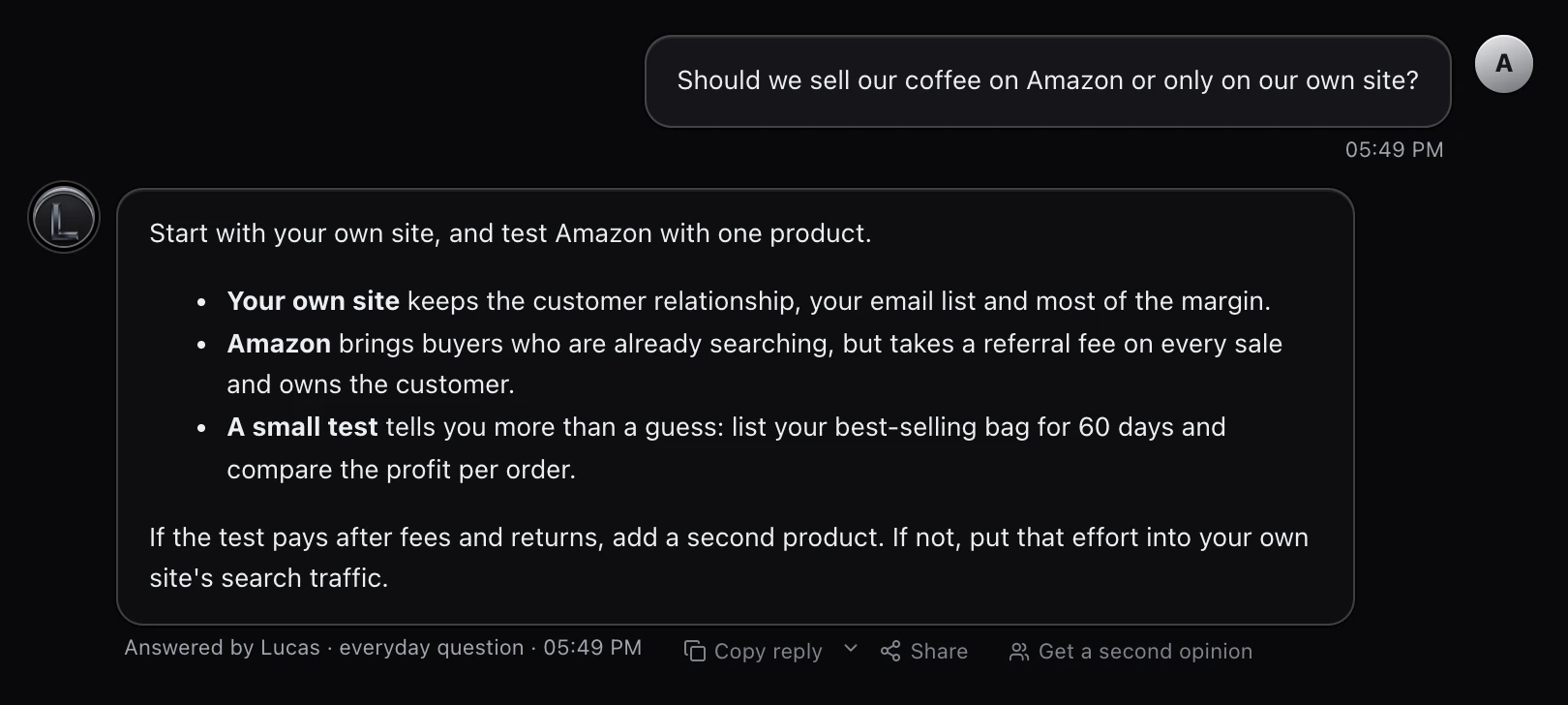
Under any reply, press Get a second opinion. Another AI writes its own answer to your question, right under the first. Read both and keep going with the one you trust.

A Lucas reply about selling coffee on Amazon or your own site, with Copy reply, Share and Get a second opinion under it. Night theme.
Get a second opinion, right under the reply

Talk

Just talk. Lucas is listening.

Hear every answer, even when you don't want to speak.

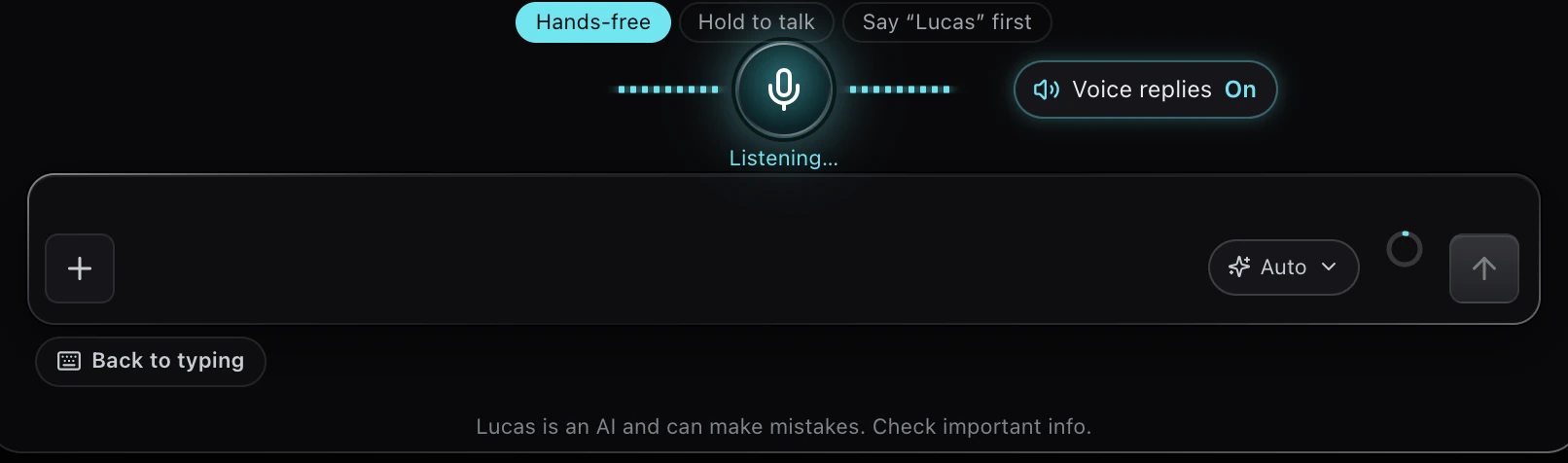
Press the mic and talk, or leave Talk off and switch on Voice replies: Lucas reads his answers aloud while you type. In a Talk chat, talk over him any time to interrupt.

The Talk bar: the glowing microphone listening, the Hands-free, Hold to talk and Say Lucas first choices, Voice replies on, and Back to typing.

Ways to work

One menu, three ways to work

Chat, Agent, or a private chat that isn't saved.

Chat is a conversation where nothing runs without your OK. Agent lets Lucas plan a goal and keep going until it's done or he needs you. A private chat isn't saved, uses no memory, and is erased when you close it.

The Lucas menu open in the chat header, showing Mode: Chat or Agent, Move this chat to, and New private chat. Night theme.

Your home · In the Mac app

Control your lights, garage, TV and thermostat from your Mac, by voice.

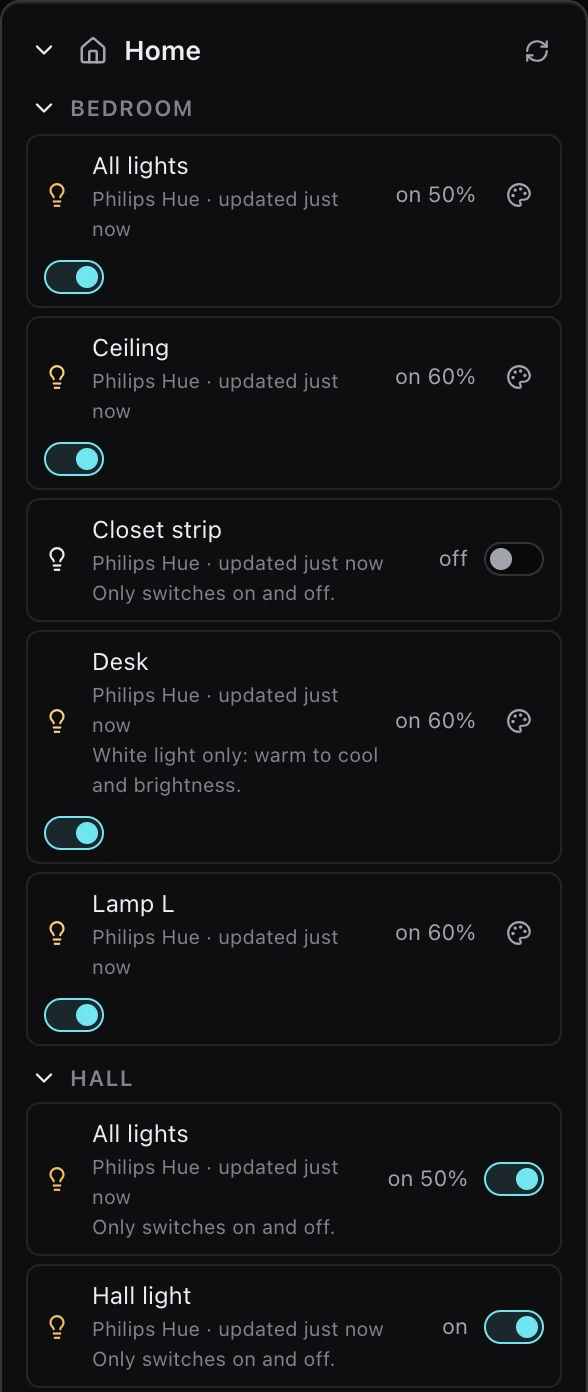
The Home panel sits next to your chat: see every room, then toggle lights with one click or voice command. Lights just happen; thermostats ask first, and locks and garage doors ask every time.

The Home panel with Bedroom and Hall lights, their brightness and on/off switches. Night theme.
Night
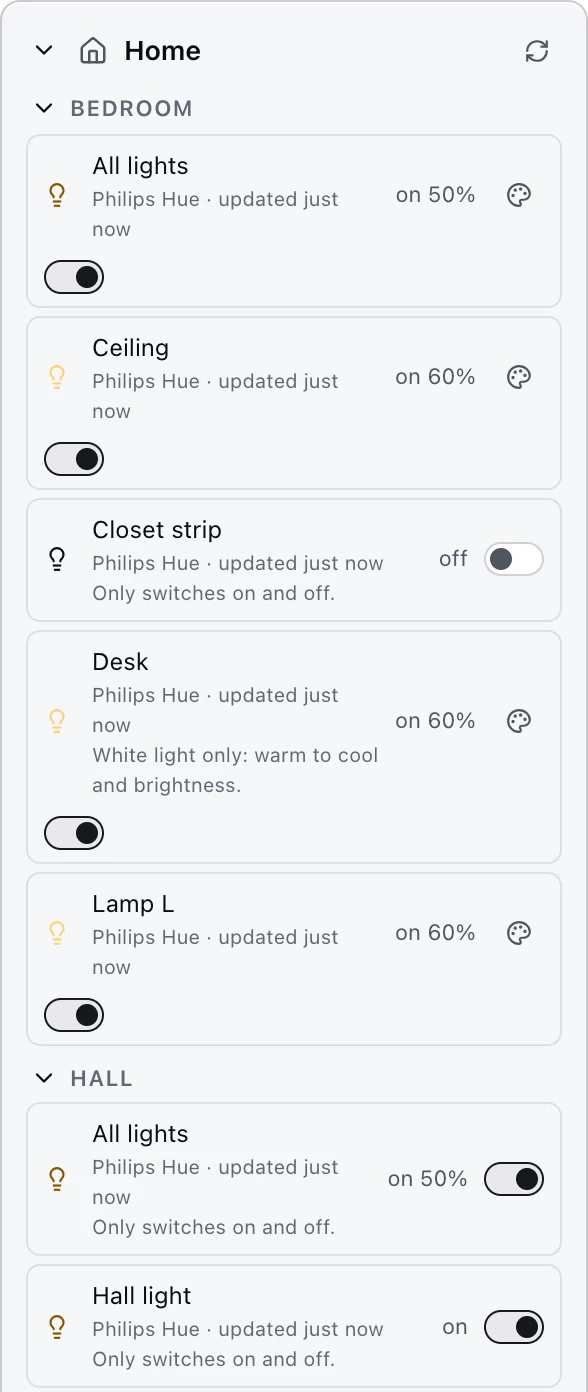
The Home panel with Bedroom and Hall lights, their brightness and on/off switches. Day theme.
Day
Lucas for your smart home

Skills

28 ready-made skills included, more in the packs

Proven ways of working, built in and kept up to date.

  • Included. 28 ready-made skills included, plus 95 more in 7 packs. Documents, marketing, research, sales, creative work and your home.
  • Kept up to date. Official skills improve over time on their own. Each card says what it does and what it needs.
  • Duplicate to edit. Want it your way? Duplicate any official skill and change the copy. Updates never overwrite it.
  • Per project. Pick which skills and packs each project uses, so a client project and your home stay separate.
How skills work
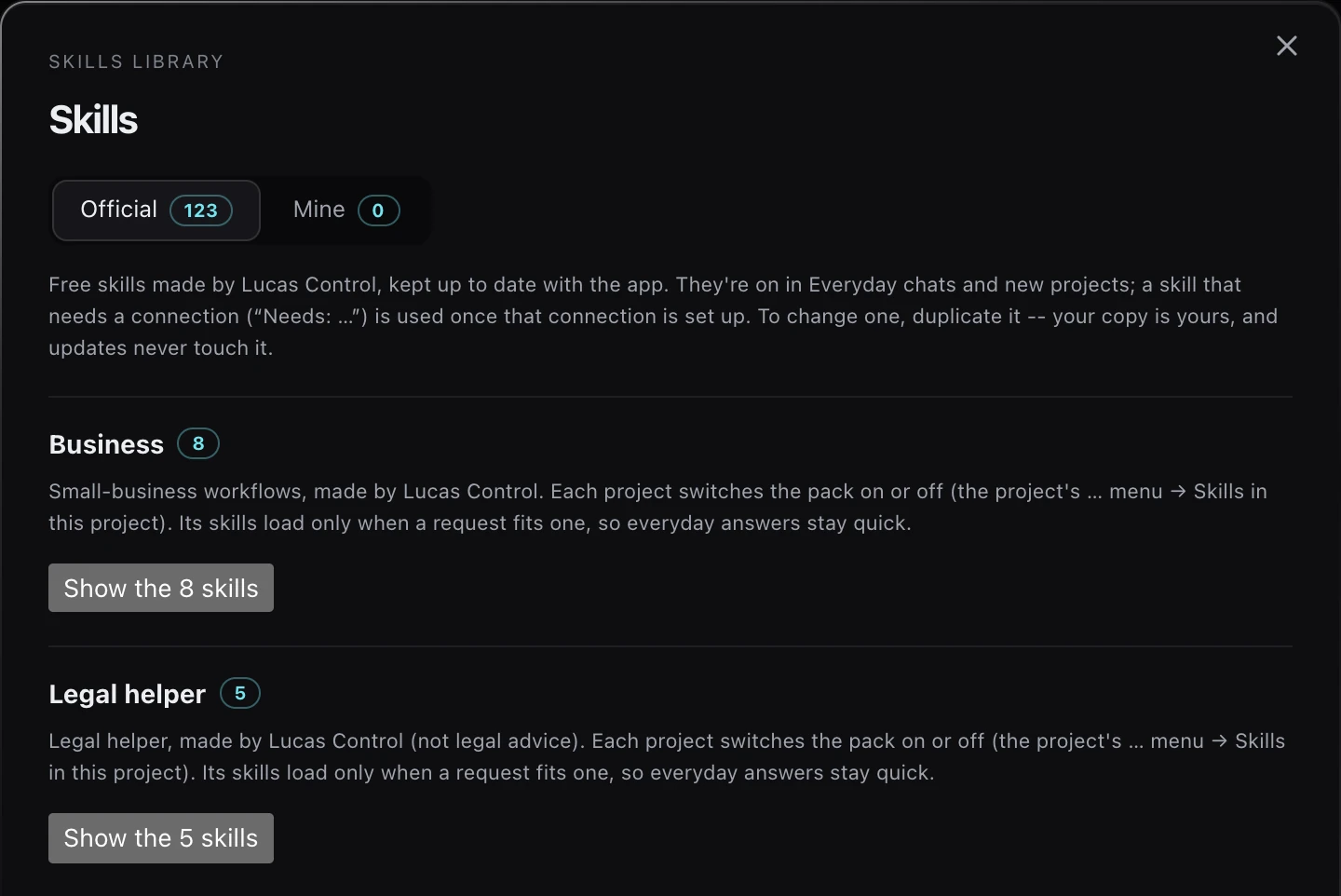
The Skills library's Official tab with the Business and Contracts and agreements packs.

Business tools

Works with the tools your business runs on

Connect your store, payments, accounting and work tools. Lucas reads what he needs, and asks before changing anything. Payment and accounting connections are read-only.

  • StripeOn the web now
  • NotionOn the web now
  • WordPress + WooCommerceOn the web now
  • ShopifyOn the web now
  • WixOn the web now
  • SquareOn the web now
  • HubSpotOn the web now
  • SlackOn the web now
  • QuickBooks OnlineIn the Mac app
  • XeroIn the Mac app
  • SalesforceIn the Mac app
  • CanvaIn the Mac app
  • DocuSignIn the Mac app
See every integration

How it works

Simple when you need it to be

01

Create your account.

Lucas's AI is included: no AI accounts or keys to set up.

02

Open Lucas.

Use Lucas in your browser, or in the Mac app for the things only a Mac can do.

03

Talk.

Type, or press the mic and just talk. Lucas does the rest, and asks before anything important.

See how Lucas works

One app instead of five

A calmer way to get things done

Lucas Control brings the work you would otherwise spread across separate tools into one place.

Lucas
Control
Chat app
Voice assistant
Website builder
Smart-home app
Research tab

Packs

Add abilities to Lucas when you need them

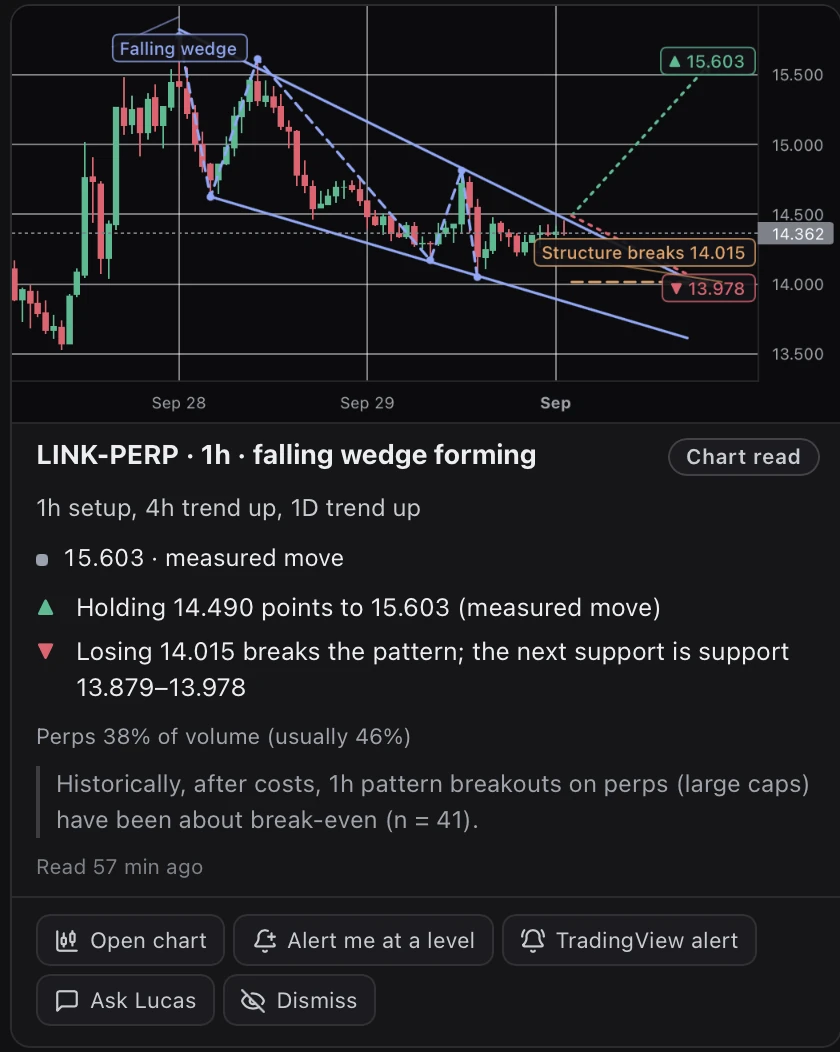
Skill packs for marketing, social, business and legal work. The Advanced Charting & Trading add-on reads and explains crypto charts; it doesn't give trade calls. Not financial advice.

Charting & Trading: in the Mac app, crypto only Coming soon

Explore packs
Close-up of a chart read card for LINK: falling wedge forming, a measured move level, what holding and losing levels mean, and a historical evidence note.