Chat with Lucas
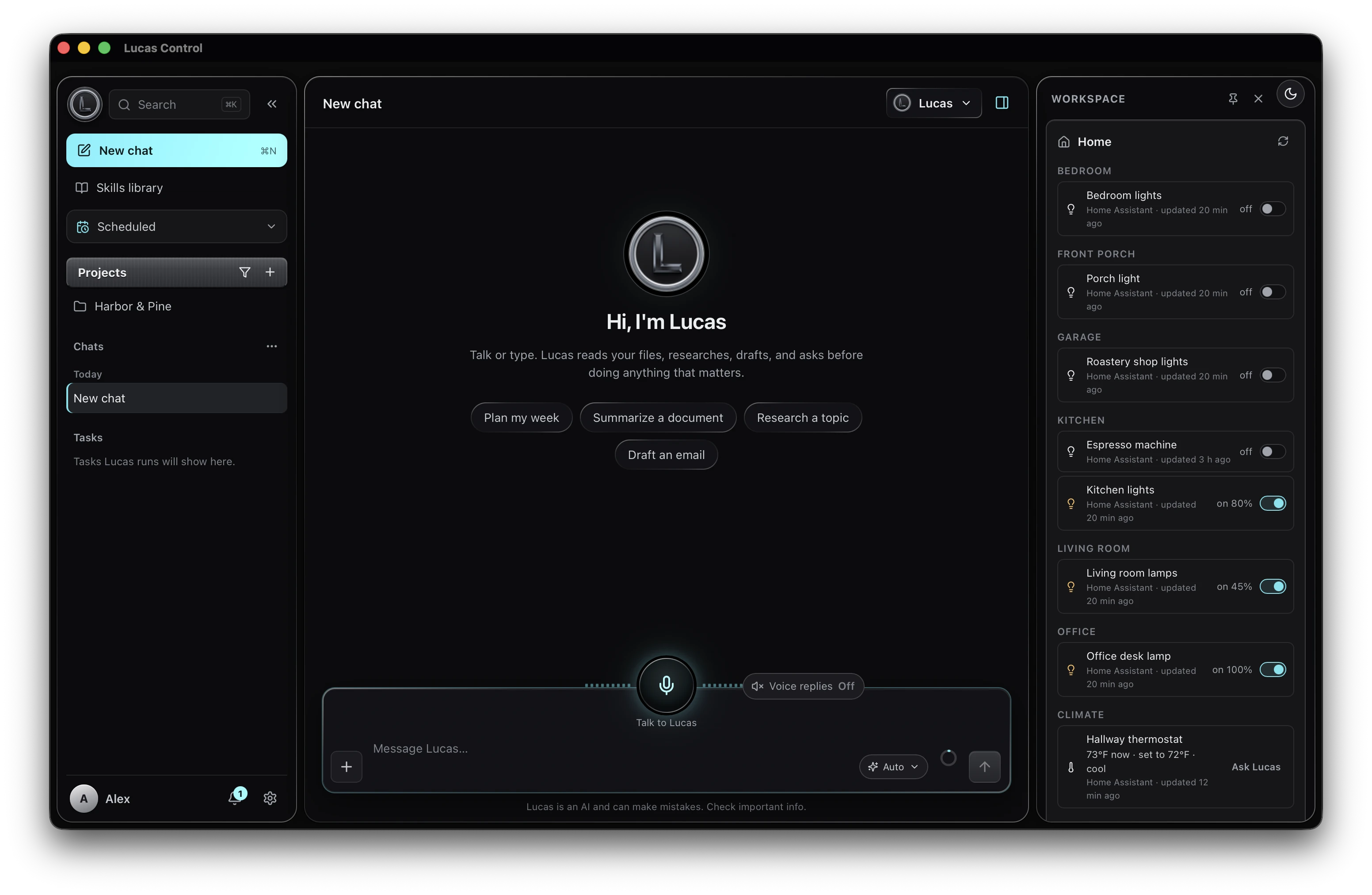
Type or talk to Lucas. He picks the right AI for each request, and you choose how he answers: Automatic, Fastest or Most capable.
 Lucas Control
Features
Talk or type, get a second opinion, keep your work in one place, and approve what matters.
Web, Mac and iPhone
One account everywhere. Use Lucas in your browser or on your Mac today; the iPhone version is coming soon.
| What Lucas does | Web appAvailable now | Mac app | iPhone app (coming soon) |
|---|---|---|---|
| Everyday | |||
| Chat with Lucas, with web search and sources | Included | Included | Coming soon |
| Agent mode: give Lucas a goal and he finishes itHe shows a short plan and the cost first, then works through it. Anything that sends, spends or changes still waits for you. | Included | Included | Coming soon |
| Lucas shows his work as he goesA timer, each step as it finishes and the pictures he makes, so you can see what he is doing. | Included | Included | Coming soon |
| Thorough research: a report with numbered sourcesYou see the cost in credits first. The report comes as a file you can keep. | Included | Included | Coming soon |
| Auto picks the AI for each request, or you choose | Included | Included | Coming soon |
| Second and third opinions from another AI | Included | Included | Coming soon |
| Talk: speak to Lucas and hear him answer | Included | Included | Coming soon |
| Attach files and photos, and Lucas reads themOn iPhone, from the camera, your photos or the Files app. | Included | Included | Coming soon |
| Documents Lucas makes: Word, PDF, Excel, Markdown | Included | Included | Coming soon |
| Images: generate and edit | Included | Included | Coming soon |
| Films: from a script to a finished cutScript, look, cast, storyboard, shots and sound, one step at a time. You see each price before it runs. | Included | Included | Coming soon |
| Lucas builds websites and apps | Included | Included | Coming soon |
| Publish a website Lucas built, at your-name.lucassites.comPrivate until you press Publish. Pages, styles, scripts and pictures; server code and databases aren't supported yet. On the Mac you publish from the finished website's card; the list of your websites is on the web and iPhone. | Included | Included | Coming soon |
| Memory, projects and the skills library | Included | Included | Coming soon |
| Personality and answer style | Coming soon | Included | Coming soon |
| Connect the services you useOn the web: 28 services you connect with a key or a sign-in, plus any MCP server. The Mac app adds many more, like email, calendars, stores, social accounts and home devices. On iPhone, Lucas uses the ones you connected on the web. | Included | Included | Not on iPhone |
| Share replies and chats, and invite friends | Included | Included | Coming soon |
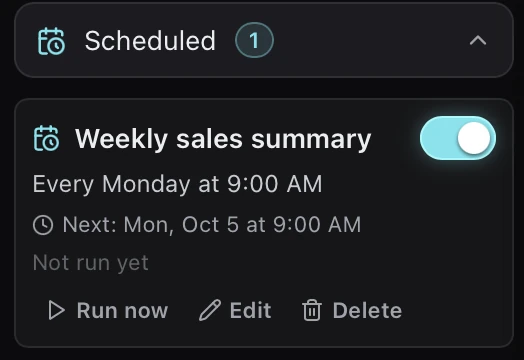
| Scheduled tasksOn the web they run in the cloud, even with your computer off. The Mac also runs its own schedules while it's open. | Included | Included | Coming soon |
| Your Mac | |||
| Files and folders on your Mac | Not on the web | Included | Not on iPhone |
| Calendar, Reminders, Notes, Mail, Messages, Contacts and PhotosThe apps on your Mac, each switched on by you. | Not on the web | Included | Not on iPhone |
| Lucas uses your Mac and his own browser, with your OK | Not on the web | Included | Not on iPhone |
| Lights and devices on your home network | Not on the web | Included | Not on iPhone |
| Menu bar, open at login and Mac notifications | Not on the web | Included | Not on iPhone |
| Advanced Charting & Trading add-on (crypto charts)An add-on for the Mac app that isn't on sale yet. | Coming soon | Coming soon | Not on iPhone |
| On the go | |||
| One account and the same chats on every devicePrivate chats are never saved, and chats you keep on your Mac never leave it. | Included | Included | Coming soon |
| Approve what your Mac asks, from anywhereTurn it on in the Mac app: Settings, Phone and web. Then a request from your Mac shows up on the web and on your phone. | Included | Included | Coming soon |
| A notice when a long reply is readyOn the web, a browser notice if you allow it. On the Mac, a banner. On iPhone, a notification. | Included | Included | Coming soon |
Apple Watch is planned.
Last checked November 17, 2026.
Type or talk to Lucas. He picks the right AI for each request, and you choose how he answers: Automatic, Fastest or Most capable.
Lucas decides how to answer each message: a current question gets a web search with sources, a quick one gets a fast answer.
Each reply says Answered by Lucas, with the kind of answer (a quick answer, searched the web…); if you pick an AI yourself, the reply names it. Hover over it to see what the reply cost. Turn it off in Settings if you don't want it.
Start a new chat from any message, carrying the conversation up to that point. The original chat stays exactly as it was. In the Mac app and on the web.
Lucas checks each provider for its newest models and switches automatically, so you never pick version numbers.
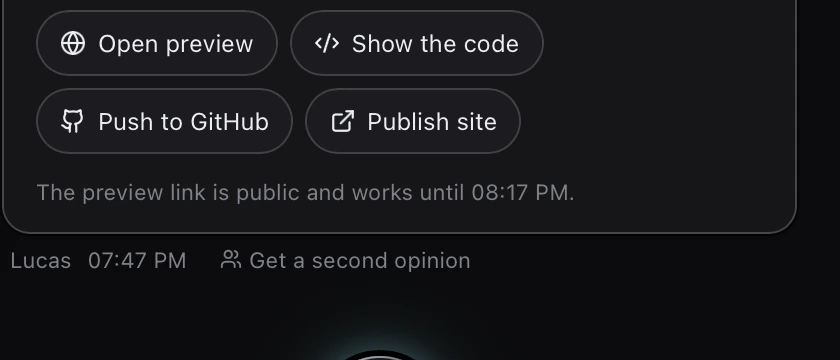
Not happy with an answer? Ask another AI for its own answer to the same question, read the two side by side, and continue with it if you prefer.
Optionally have other AIs check Lucas's important work (documents, code, numbers, legal or medical answers) and fix real problems before you see it, within a monthly budget you set.
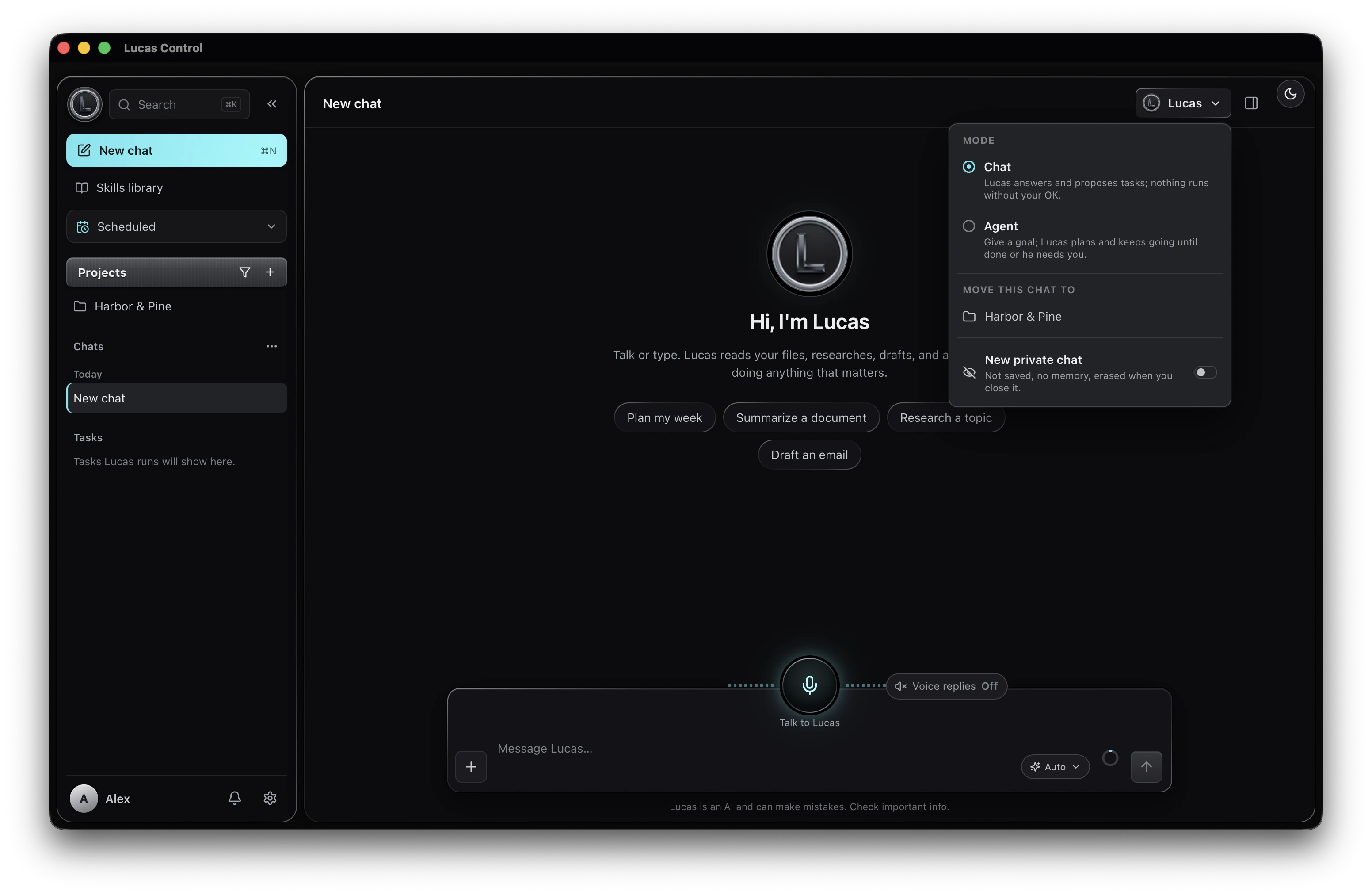
Lucas answers and proposes tasks; nothing runs without your OK.
Give Lucas a goal; he writes a plan, works through it step by step and stops to ask when he needs you.
Lucas searches the web for anything current -- places, prices, news, weather, scores -- and shows his sources under the reply.
Ask what people are saying on X and Lucas searches public posts for you, using credits like any search. Reading and posting with your own X account is separate: X bills that to your own X developer account.
Lucas can look up what you discussed in earlier chats; you can also search every chat by title or message.
A ring by the message box shows how full the chat's memory is; long chats are summarized automatically so nothing important is dropped, or summarize on demand.
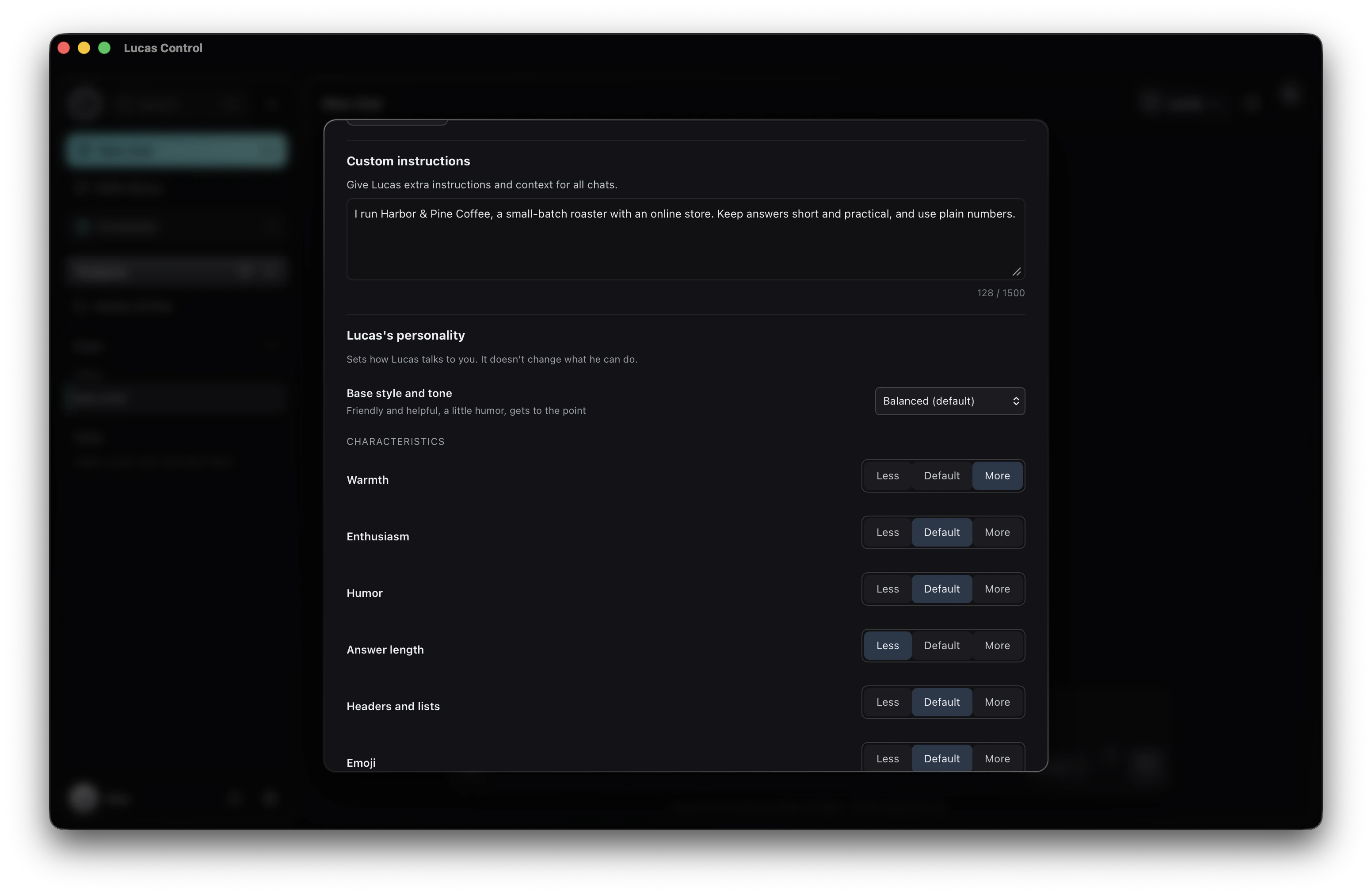
Pick a personality (Balanced, Buddy, Pro, Candid, Coach, Calm) and tune warmth, humor, enthusiasm, answer length, headers and emoji.
Tell Lucas how you want him to work, in your own words; he follows it in every chat.
Lucas can match your own writing style when he drafts for you.
Short and spoken questions get a quicker, lighter model so replies start sooner.
If an AI service fails, Lucas retries quietly and otherwise shows a plain-words message with a Try again button -- never a silent failure.
Have a spoken conversation with Lucas: one switch turns listening on, he hears when you've finished your thought and answers out loud. Talk over him and he stops to listen.
Choose how easily your voice cuts Lucas off: low, normal or high.
Type as usual and have Lucas read his replies aloud. Hear every answer, even when you don't want to speak.
Optional, on-device: Lucas can notice laughter or a raised voice and respond accordingly; no audio is stored.
Drop in PDFs, Word, Excel, PowerPoint, Pages, Numbers, Keynote, ebooks, emails, ZIPs, images and more, and ask about them.
Lucas reads text in photos, screenshots and scanned pages on your Mac.
Drop in a video or recording (up to 4 hours) and Lucas transcribes it on your Mac and looks at its key frames.
Ask for a report, letter or plan and get a finished Word or PDF file you can view in the app or save to Downloads.
Monthly sales reports from Stripe as Word and Excel files.
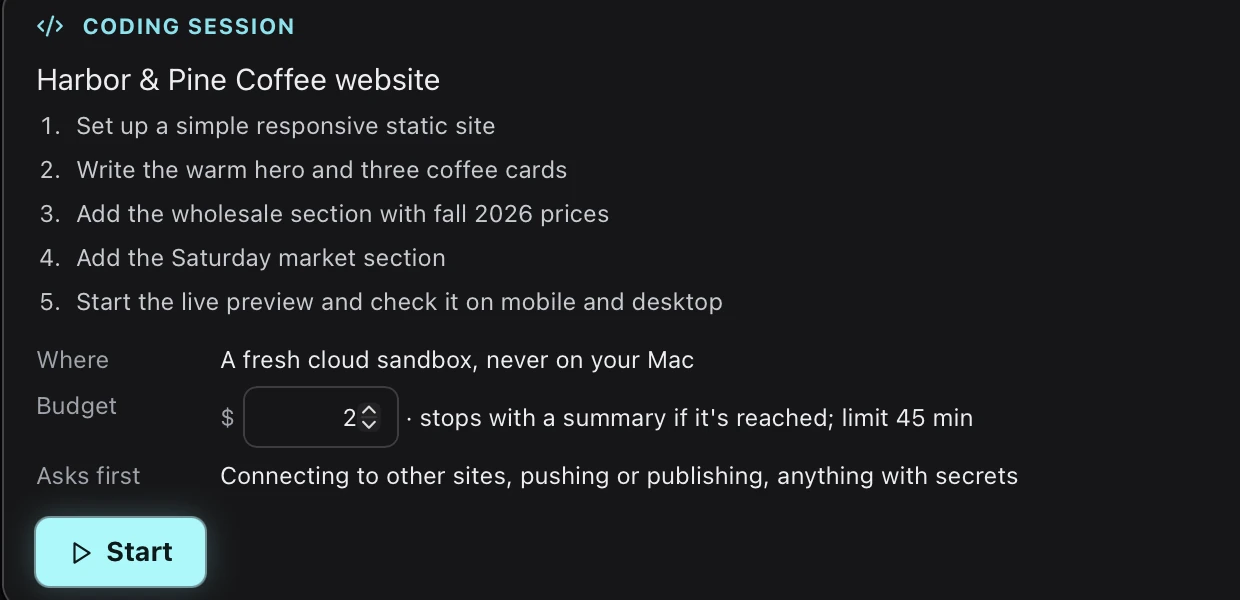
Describe an app or website and watch Lucas build it in a safe cloud workspace, with the code, terminal and a live preview side by side.
Download the code, push it to a private GitHub repository or publish the site on Netlify -- publishing always asks first.
Come back later and continue a site or app where Lucas left off.
Create and edit images: variations, upscaling, posters and text in images; costly ones show the price first.
Turn a prompt or an image into a short video clip, with the cost shown first.
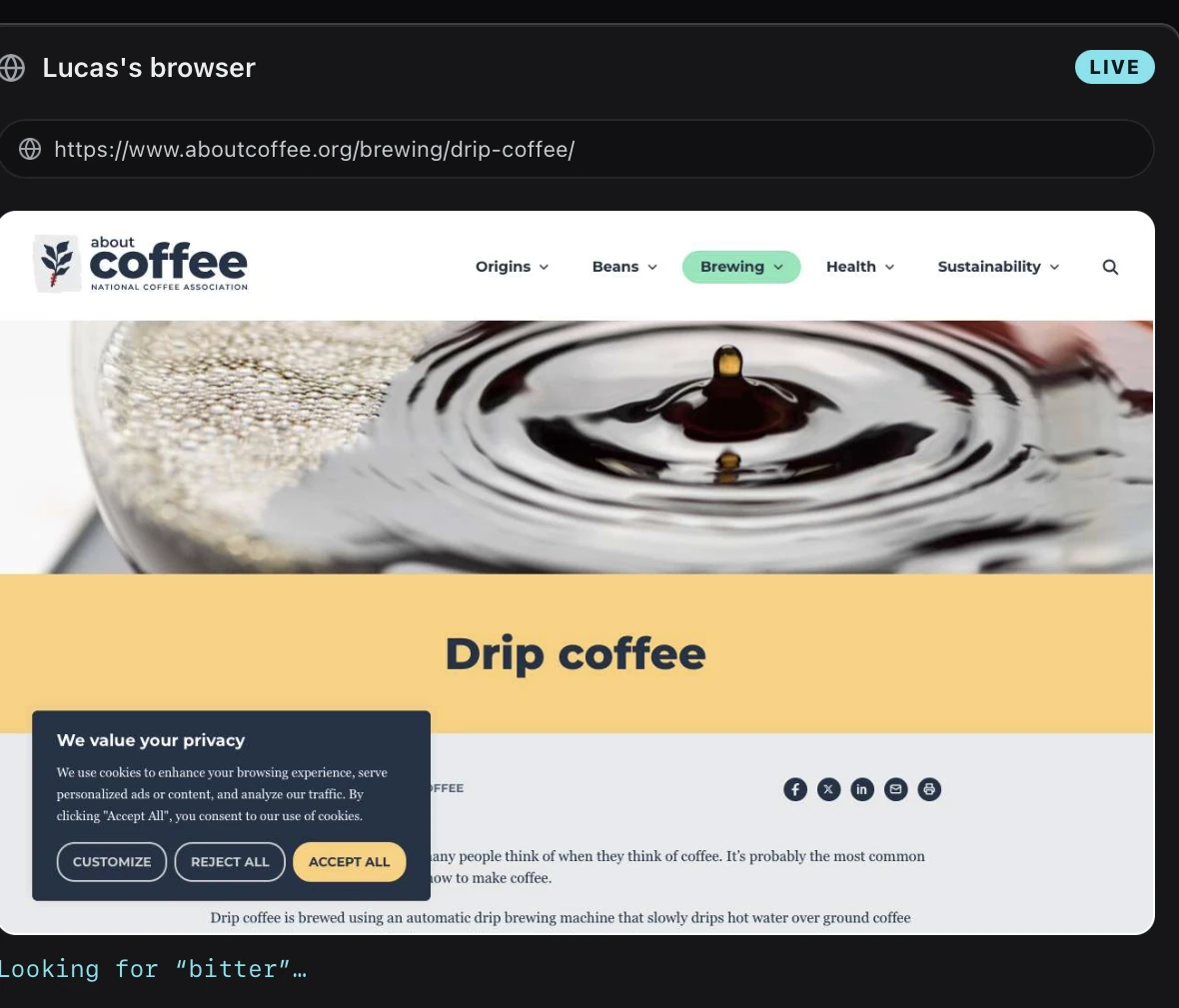
Lucas browses websites in his own separate browser, reads pages, fills forms and pulls tables -- you watch it live; your own browser is never touched.
When a site needs your sign-in, take over Lucas's browser, sign in yourself, then hand it back.
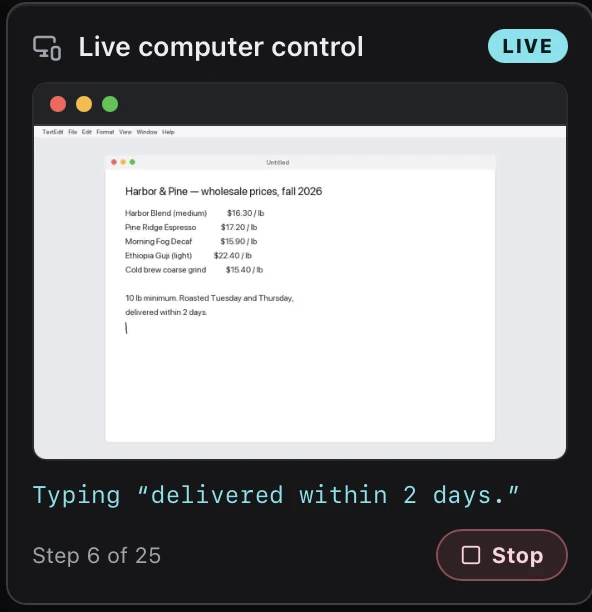
Lucas can operate apps on your Mac -- TextEdit, Notes, Finder, Safari, Mail drafts, Calendar -- and you watch every step live.
Press Esc to pause Lucas mid-task on your Mac, or Stop to end it.
Whenever Lucas uses your Mac, a soft cyan glow outlines the screen with a Stop button, so you always know.
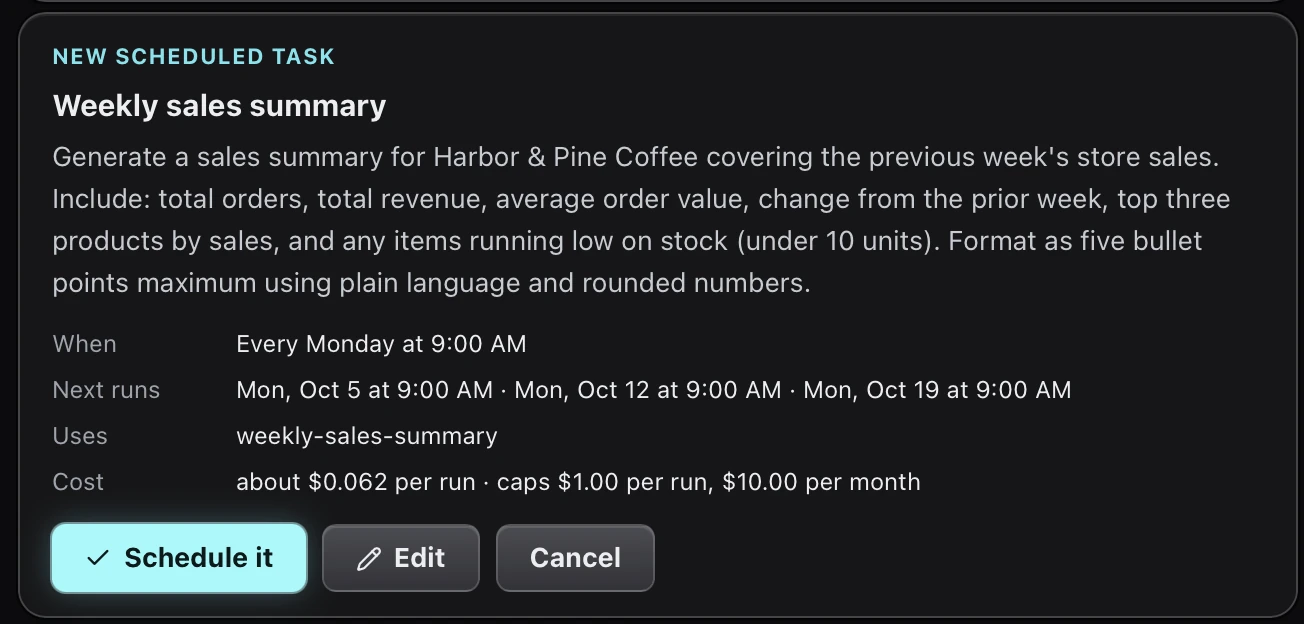
Ask Lucas to do something daily, weekly or monthly; he proposes a schedule, you approve it, and results arrive in their own chat.
Finished work and alerts show in the bell and as Mac notifications; Lucas can stay in the menu bar and open at login.
Open any task to see its steps, files, result and a log in plain words.
Connect Stripe, GitHub, Google, Outlook, Shopify, WordPress, Wix, ads and marketing tools; Lucas reads freely and asks before any change.
Write one post for X, LinkedIn and YouTube, and approve it for every platform on one card. X bills its API use to your own X developer account, never to your Lucas credits.
Find any connection by typing its name, a nickname or a typo: "insta", "gmail", "woo".
Manage your Shopify, WordPress/WooCommerce or Wix site from chat: products, orders, posts, SEO -- drafts save at once, everything live asks first.
Gmail, Calendar, Drive, Search Console, Analytics, Business Profile, YouTube and Google Ads in one sign-in, per project.
Connect any tool that speaks the MCP standard; read-only tools run, anything else asks.
Check a public X account's market calls against real prices and get a report with charts, after a cost estimate. Needs your own X developer account.
Connect Instagram by signing in, instead of pasting a token.
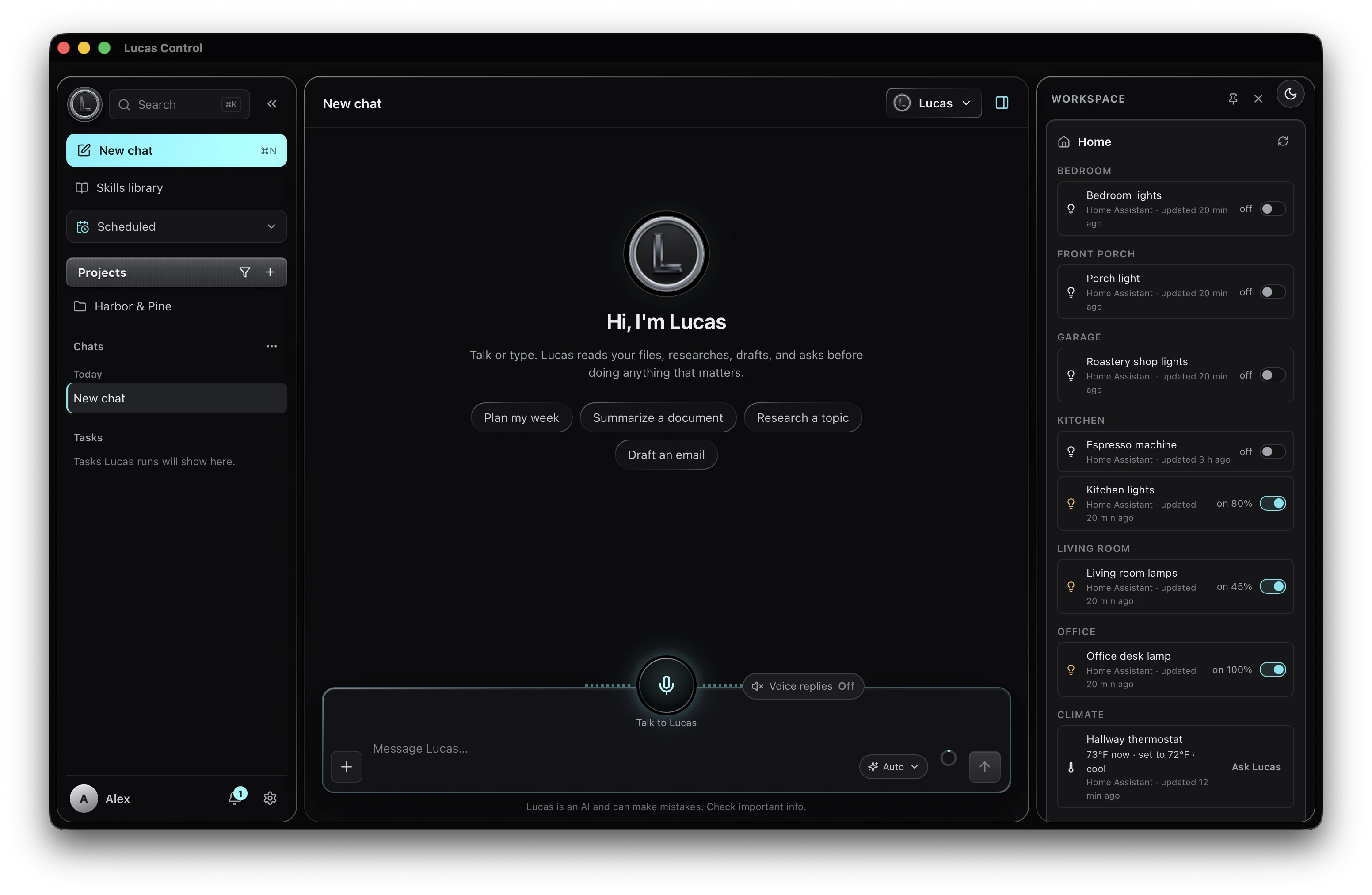
Lights (Philips Hue or Home Assistant), with colors and scenes; your TV and garage door through Home Assistant; and your thermostat through Honeywell Home or Home Assistant. From your Mac, by chat or voice.
Simple commands like "lights off in the kitchen" happen instantly, without waiting for an AI.
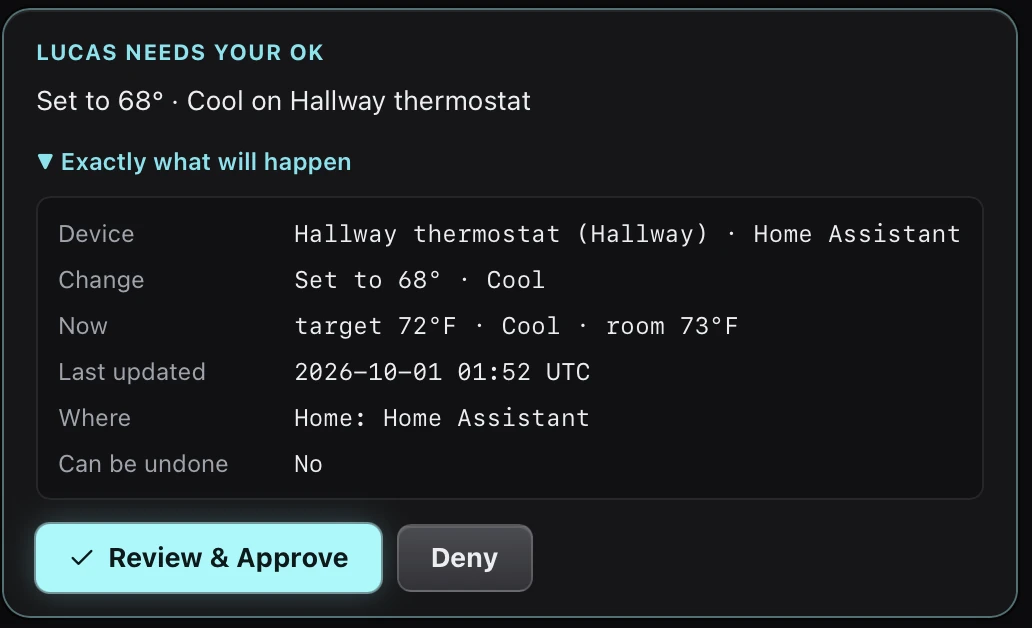
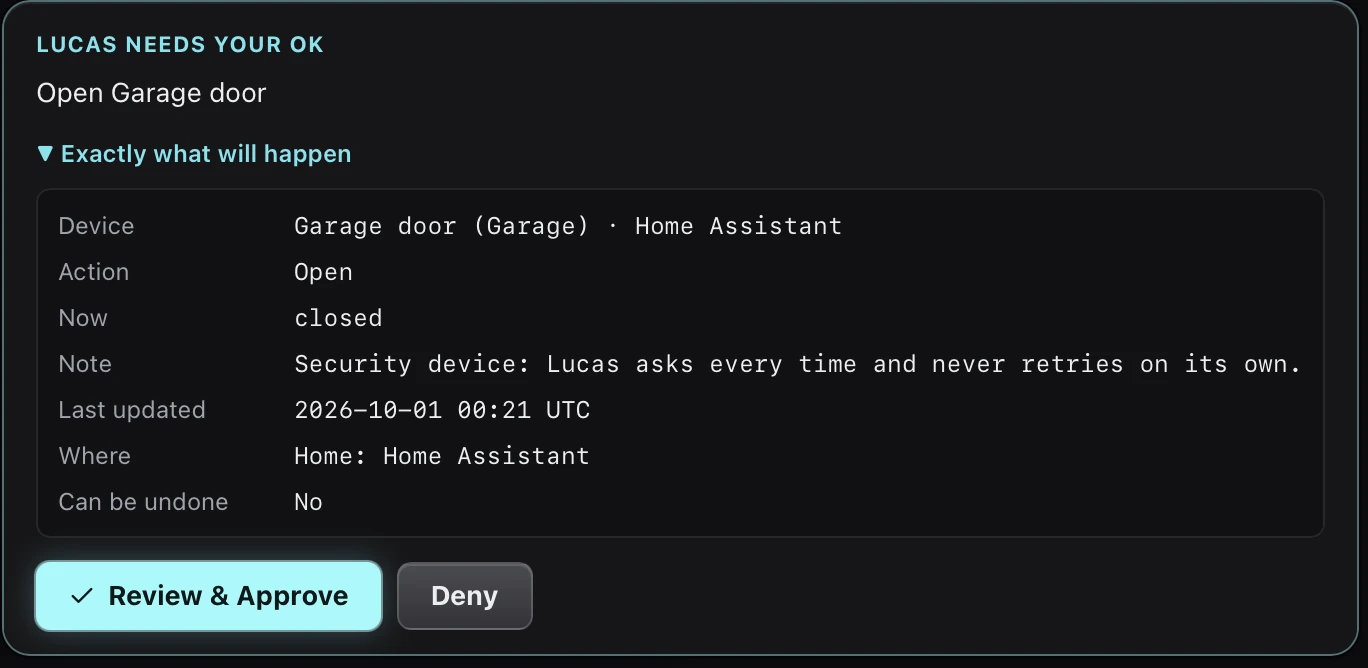
Thermostat changes ask first; locks, garage doors, alarms and cameras ask every single time.
See rooms, lights, thermostats and locks at a glance and toggle lights with one click.
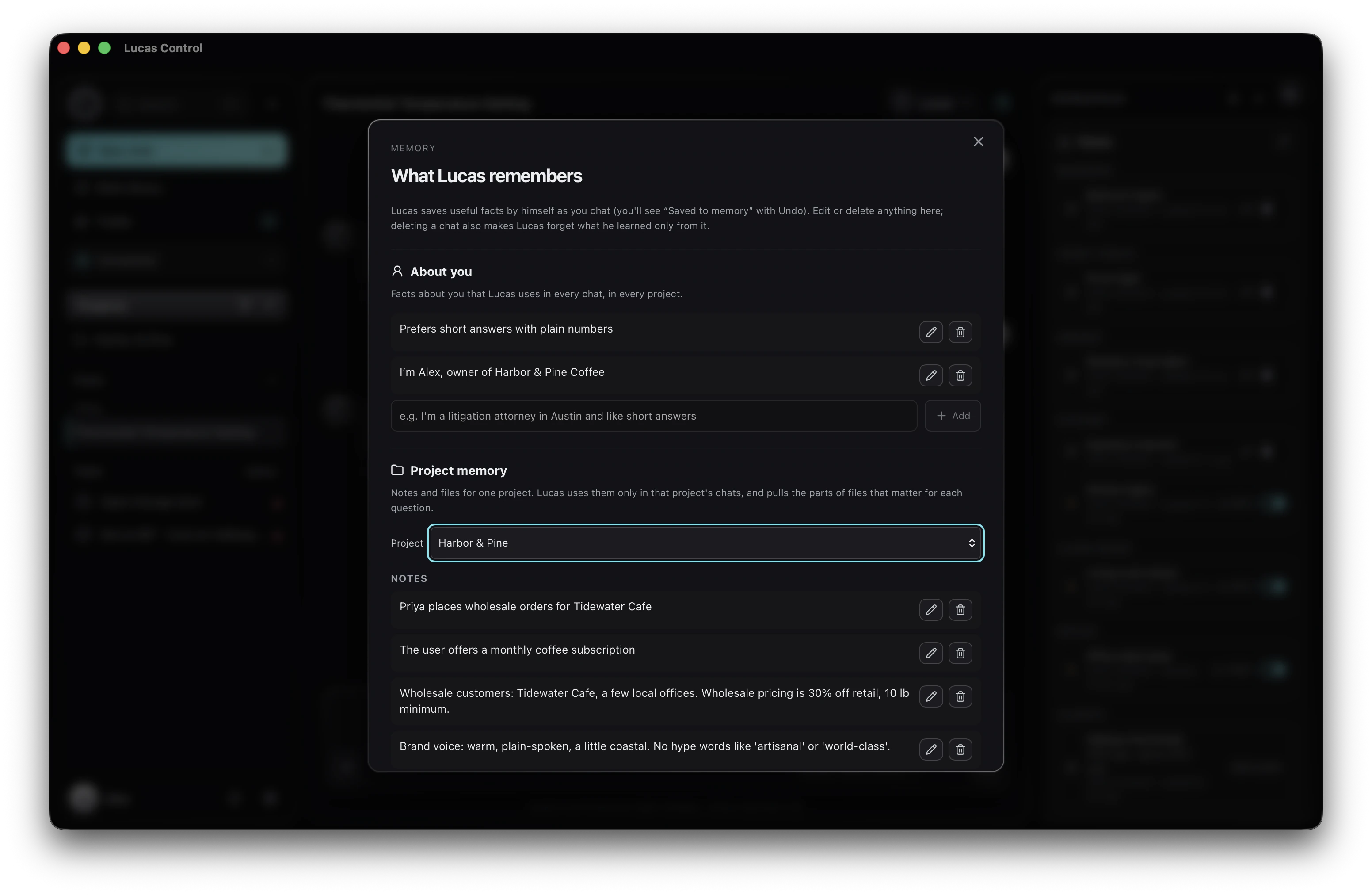
Lucas remembers what matters about you as you chat and tells you each time, with a one-click Undo; passwords and card numbers are never saved.
Keep work separate: each project has its own notes, files, skills, connected accounts and chats.
See every file you added or Lucas made, by project, and move or delete them.
An Official library of free, ready-made skills, plus your own: switch each on per project, duplicate an official one to make it yours, and export them.
28 ready-made skills for documents, marketing, research, sales, creative work and your home, kept up to date. Report writer, Spreadsheet builder and Meeting prep start on; switch on any others you want. Each says what it needs.
Move a chat to another project and it picks up that project's memory right away.
Deleting a chat also deletes what Lucas learned only from it.
Lucas asks before he sends, posts, buys, spends, books, deletes or changes anything, showing the exact change; money and security actions ask every time.
A chat that isn't saved, uses no memory and is erased the moment you close it.
Sign-ins to your accounts are kept in the Mac's Keychain and never shown to the AI. You never need an AI account or key.
Image upscales, analyst scans and coding sessions show what they'll cost before they start, with caps you set.
Text recognition, transcription and file reading happen on your Mac.
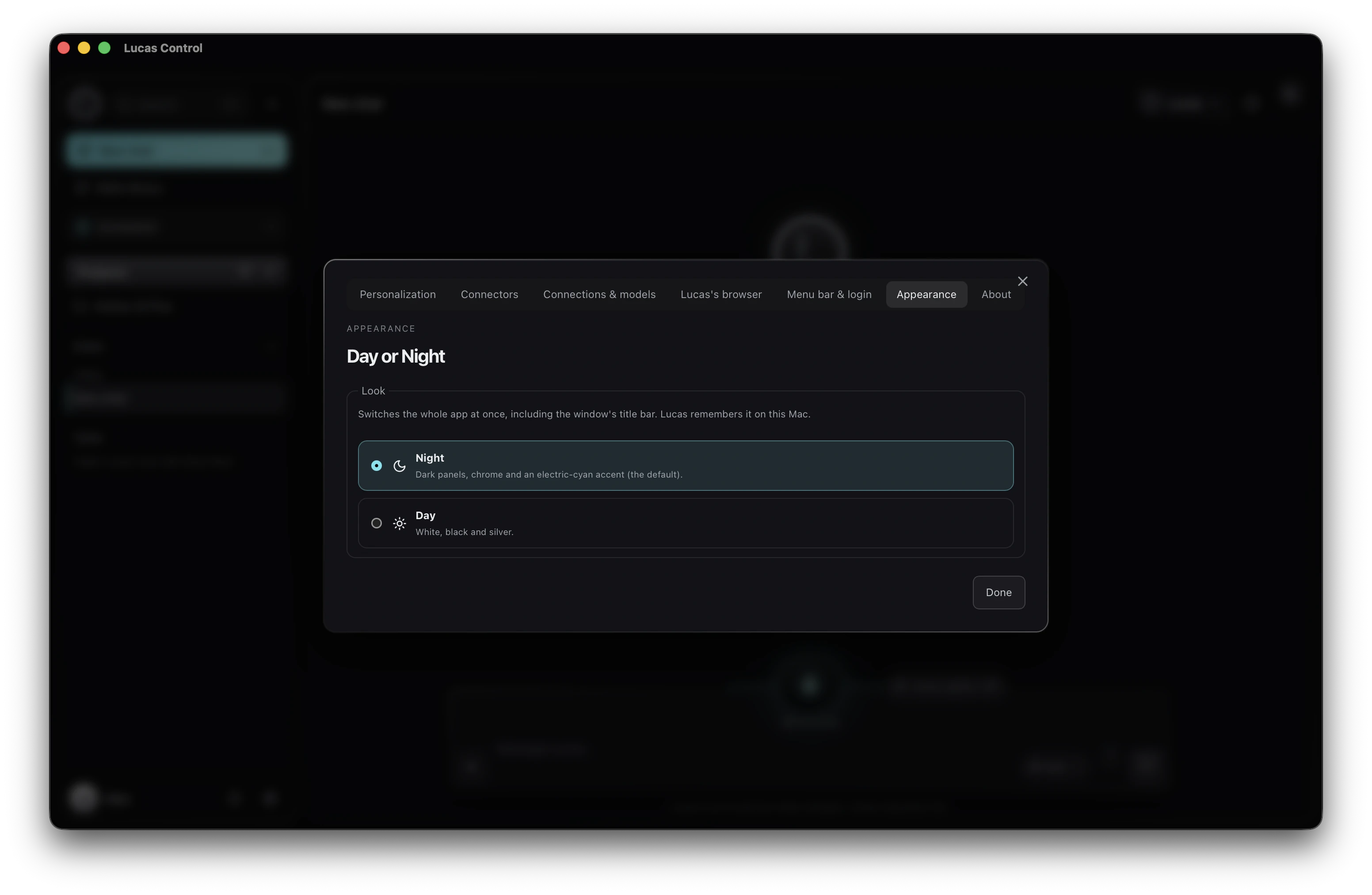
Switch between a dark Night look and a light Day look.
Chats on the left, conversation in the middle, and a workspace panel on the right that grows when Lucas is building something.
Cmd+N for a new chat, Cmd+K to search, Esc to close.
Lucas describes what a chart is doing -- structure, key levels, multi-timeframe context -- as reads, never buy or sell calls.
Each read shows both scenarios, the levels that matter, and where each one breaks.
Fibonacci levels and golden-pocket confluence with support and resistance are drawn and explained.
Open interest, funding, volume flow and spot-versus-perp panes under the chart.
Fast candlestick charts with your own levels, trendlines and a long/short box, plus a risk calculator for your own plan.
Step through the candles that built a setup and watch its levels appear.
Follow the markets you care about, with an optional notice when there's a new read on one.
Alerts on level crosses, trendlines, zones, patterns, open interest, funding flips and volume spikes, delivered to the bell.
Follow the X chartists you choose; Lucas reads their calls, scores them against real prices and shows their view beside the chart.
A scheduled morning summary of your watchlist: prices, new chart reads, notable derivatives moves, plus news and what people say on X when connected -- every source labeled.
Ask in chat or by voice about any market; Lucas answers from the chart reads with the evidence.
Bring your TradingView watchlists into Advanced Charting & Trading (read only).
Optional add-on packs for other kinds of work, like SEO.
In Lucas







FAQ
Lucas works with several leading AI models and picks the right one for each request. The full list is in the AI notice and on the Subprocessors page.
You choose how Lucas answers: Automatic, Fastest or Most capable, and Lucas picks the right AI for each request. Want another AI's view? Ask for a second opinion on any answer. The Choosing how Lucas answers guide has the details.
Under any reply, choose Get a second opinion and a different AI writes its own answer to the same question. It appears right under the first answer, so you can read both and carry on with the one you trust.
No. Reading runs straight away, but anything that sends, posts, changes or deletes waits for your OK on a card that shows exactly what will happen. Money, locks and security actions ask every time.
Both the web and the Mac app have chat, Talk, research, documents, images, projects and memory. The Mac app adds what only a Mac can do: using your Mac's apps, your files and folders, and your smart home. Compare them.